Printable Posters
Setup & Packing Guides
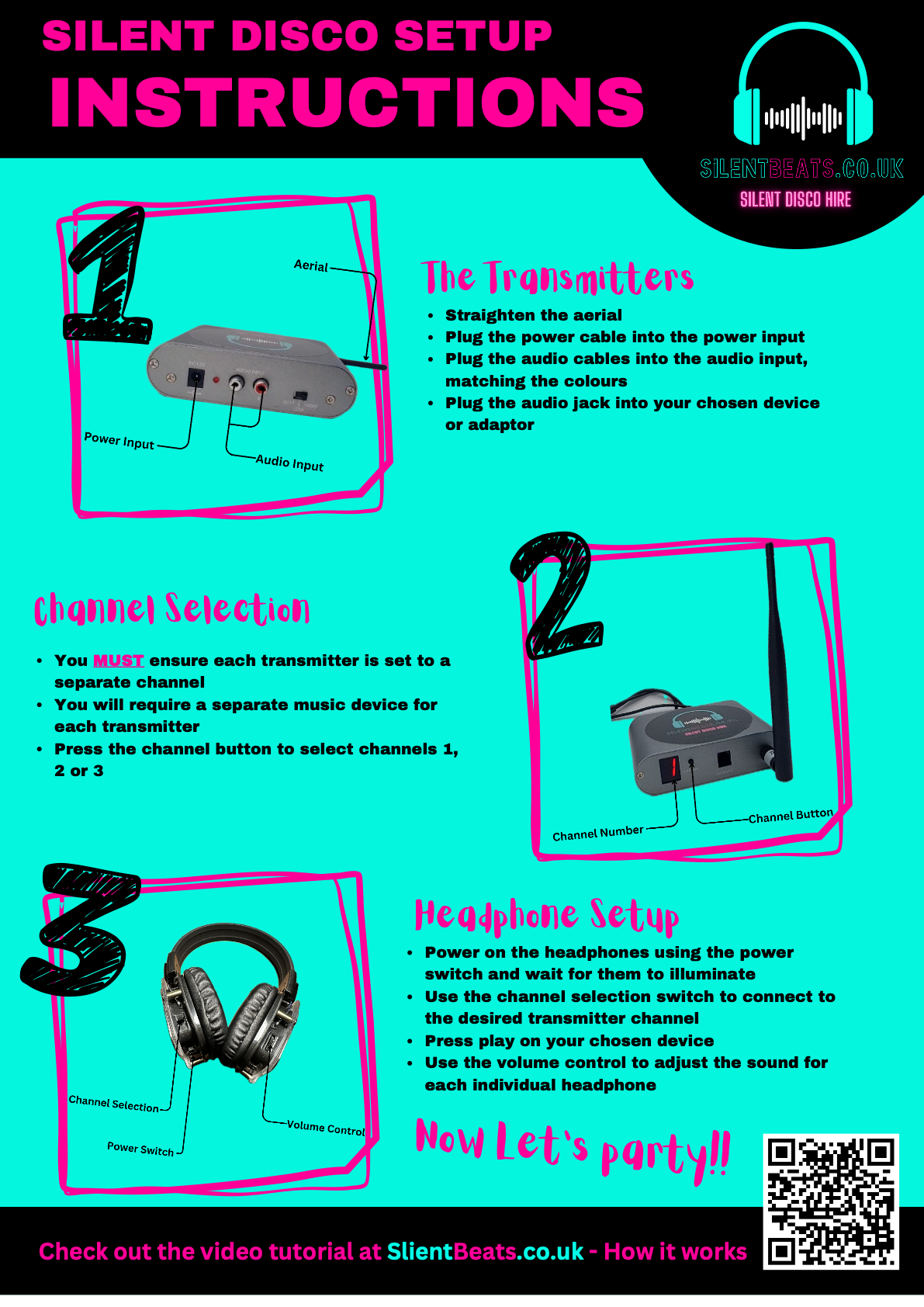
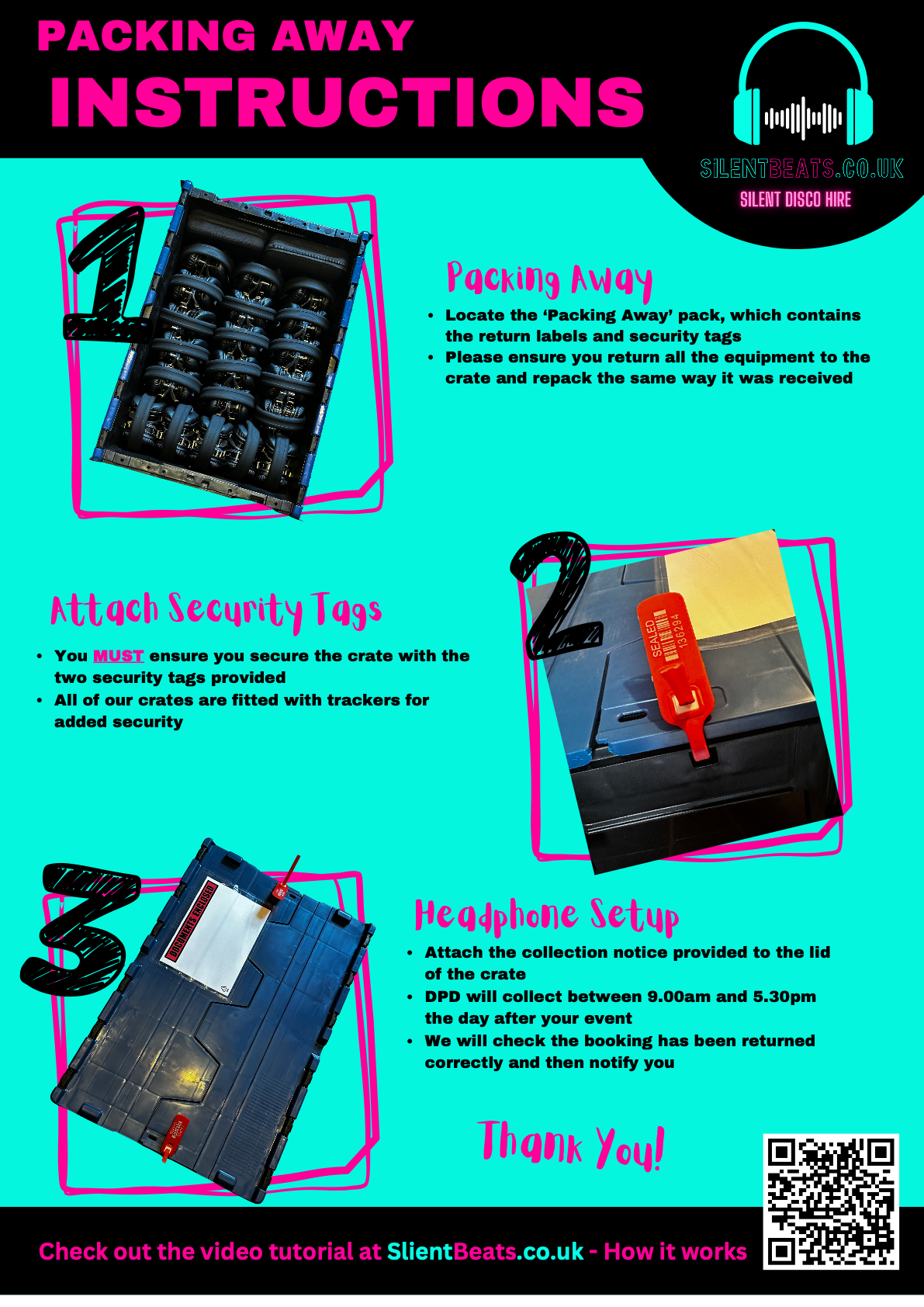
The printed copies are inside your crate. Tap to open either poster as a PDF.
Everything you need to set up your SilentBeats equipment — it's easier than you think.
Can't play the video? Open it on YouTube or read the written steps below.
The printed copies are inside your crate. Tap to open either poster as a PDF.
The written version, in case you'd rather skim than watch.
Open the delivery crate — everything inside is fully charged and ready to go. You'll find the headphones, transmitter(s), a 3.5mm aux cable, power cable, audio adaptors and any extras if ordered.
Plug in the transmitter and press the power button. The channel indicator will light up to show it's broadcasting. If you have multiple transmitters, each will need its own music source and channel.
Use the supplied 3.5mm aux cable and audio adaptors to connect your devices such as phone, laptop or tablet to the transmitter. Hit play — you're broadcasting. If you need a separate device, we hire pre-loaded music tablets as an optional extra.
Hold the power button on each headphone for about 2 seconds until the LED glows. They'll automatically pick up the broadcast — no pairing or setup needed.
Press the channel button on each headphone to cycle through available channels (the LED colour changes to match). Volume is on the side of each headphone. Battery lasts up to 10 hours — more than enough for any event.
Check the LED colour on the headphone matches the transmitter channel and that the aux cable is fully pushed in. Make sure the volume is turned up on both your music device and the headphones, and that each transmitter is set to a separate channel (1, 2 or 3).
You might be out of range (max ~500m line of sight). Move the transmitter higher up or nearer the middle of the dance floor. If you're running multiple transmitters, space them a few metres apart and double-check each one is on its own channel — sharing a channel causes interference.
Pack all the equipment and instruction manuals back into the crate exactly as you received it. Attach the return label to the lid and secure the crate with the two security tags provided. Sealing the crate and attaching the return label is really important — DPD will collect the day after your event. See the Packing Away poster above for a visual guide.
Call us on 01908 272840 — we answer 24/7 during events. We'll talk you through it in 60 seconds.
Our team is available 24/7 during events. One call and we'll have you up and running in under a minute.
Call 01908 272840